See your charging operation.
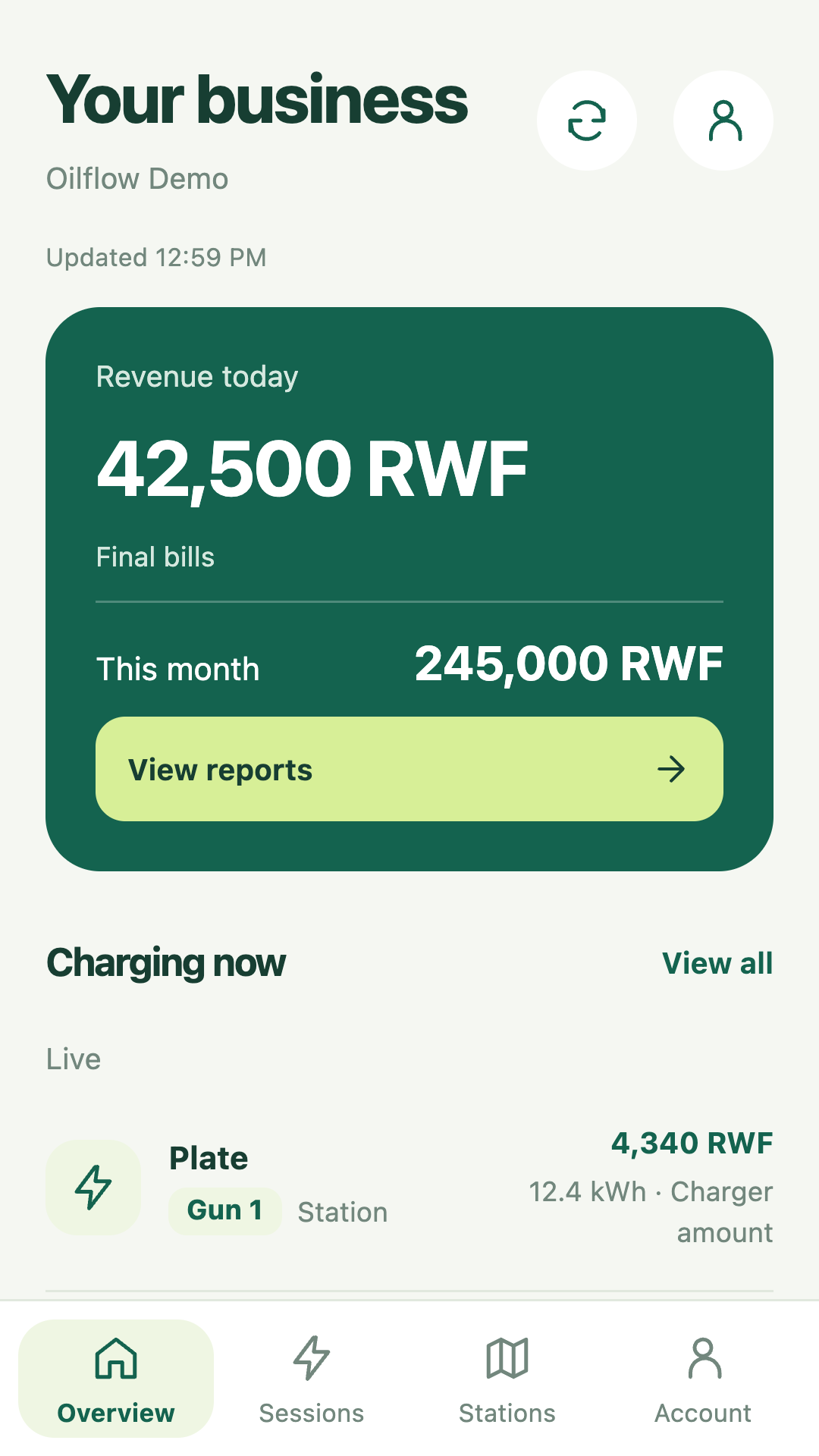
Monitor connected chargers and sessions, and give staff the access their role needs.
 oilflowEV
Dashboard sign in
oilflowEV
Dashboard sign in
CHARGING OPERATIONS, CONNECTED
Bring chargers, staff, customer management, loyalty pricing and daily reconciliation into one company workspace. Give your team a clearer view of every working day.
For network operators, fleet depots and destination charging sites.
Your next stop starts here.
Explore the charging map ↗
Find the right connection.
 GB/T Chinese Fast
 CCS2 DC charging
 Type 2 AC charging
 CHAdeMO DC charging
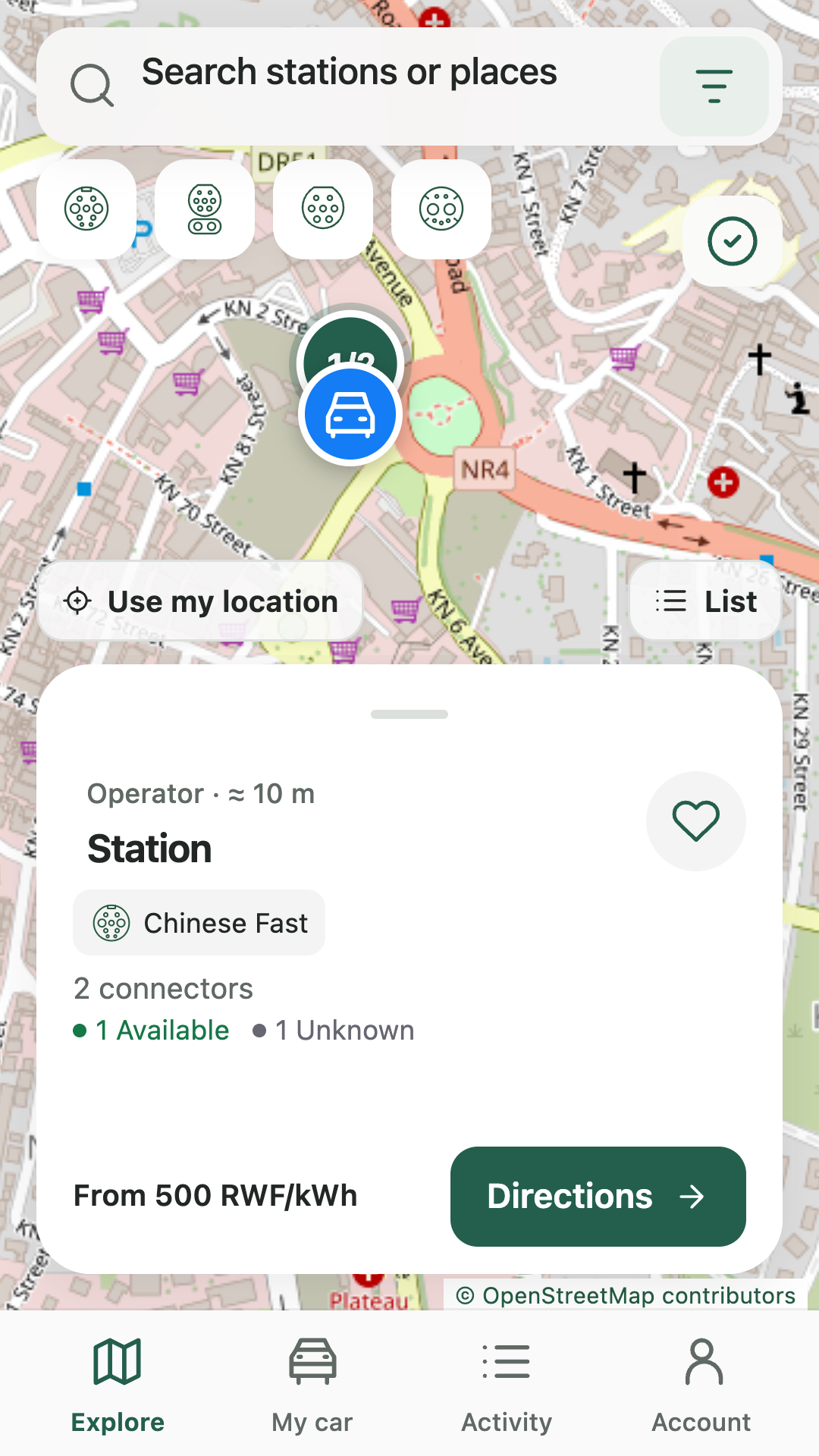
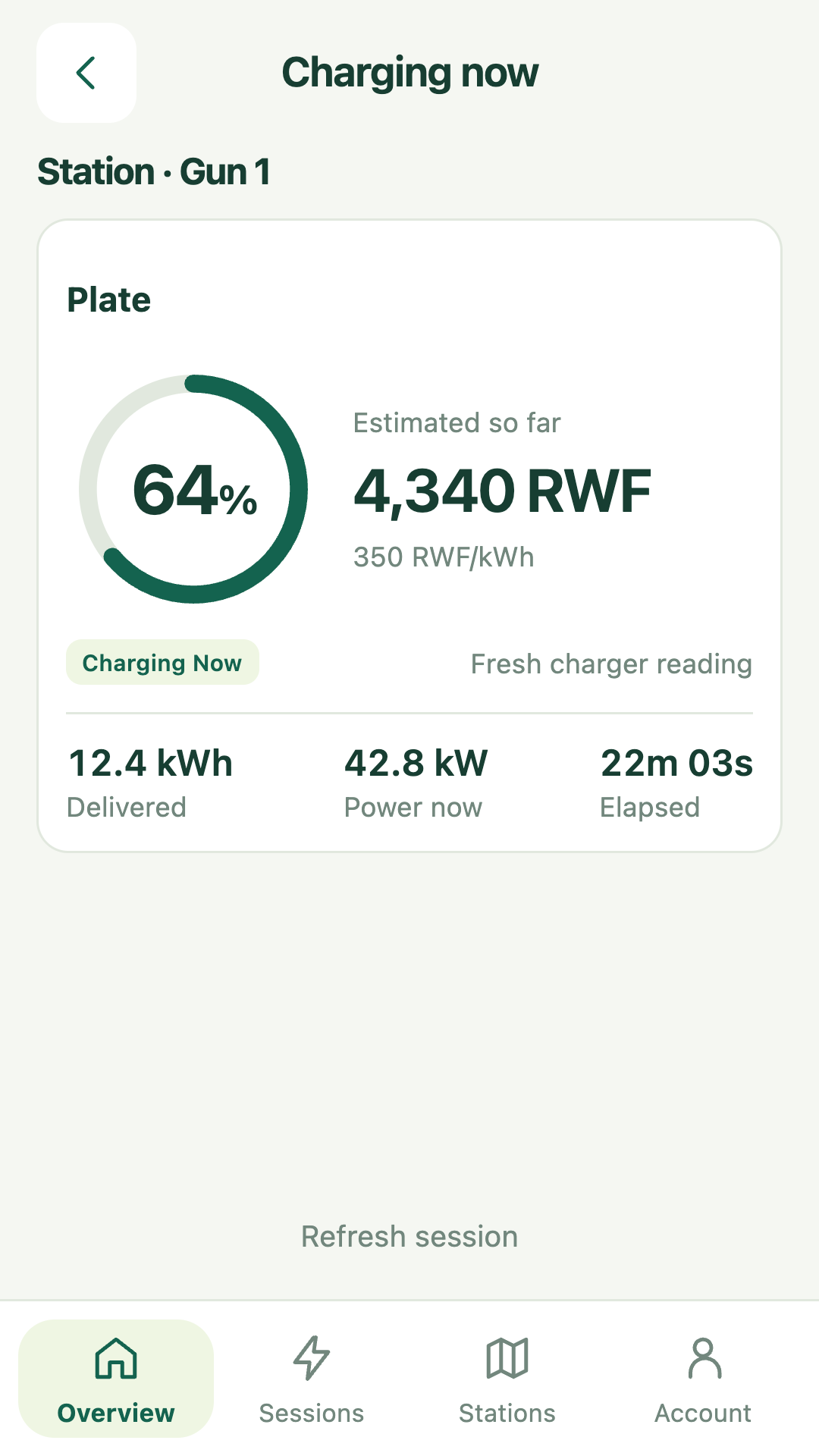
OILFLOW ON YOUR PHONE
Find a charger, follow a live session and keep your operation in view.
OILFLOW FOR OPERATORS
Bring your chargers, team and charging records together. Oilflow supports multiple operators, with separate company workspaces and access for the people who run each network.
Monitor connected chargers and sessions, and give staff the access their role needs.
Manage customer accounts and loyalty tiers, review charging records, and follow tariffs and billing.
Publish station information for drivers and connect supported partner networks through OCPI.
BEYOND THE CHARGING SESSION
Customer profiles, loyalty tiers, prepaid wallets, fleet accounts and credit follow-up. Give your team the context to look after regular drivers and business customers.
Explore customers & loyaltySIMPLE PRICING
Both packages include Oilflow’s business tools. Choose OCPP to manage compatible chargers, or add a custom HMI flow to adapt the screen and charging steps your customers use.
RWF 30,000per charger per month
For operators who want to keep their charger’s existing screen and charging flow. Connect compatible equipment through OCPP, the protocol that lets your charger communicate with Oilflow.
Your charger keeps its existing customer interface. Changes to the charging-screen workflow are included in the HMI package.
Get started with OCPP ↗RWF 40,000per charger per month
For operators who also need to adapt the experience on the charger’s screen. HMI means the screen and controls customers use to charge. We modify the supported charging flow to work with Oilflow’s new HMI.
What the extra RWF 10,000 pays for: adapting and validating the customer-facing charging flow. Customer management, loyalty, fleets, staff access, tariffs and reports are already included in both packages. HMI changes require compatible equipment and access to its software; hardware, automatic payment collection and fiscal receipt integration are not included by default.
Get started with HMI ↗Create your company and connect one charger while awaiting approval. To add more, you need admin approval and an active license covering your charger count.
Your total is the package price × licensed chargers × months. Buy or renew in License & billing, pay by the configured MoMo or bank method, and submit your reference for admin verification.
Supported commands and HMI changes are checked against your equipment. Automatic payment collection, fiscal receipt integration, smart power sharing and external roaming are separate integrations, not included by default.
Optional energy monitoring: record site-meter readings and compare imported electricity with recorded charging-session energy in your owner dashboard. Automatic smart-meter collection is pending; EUCL meter compatibility and integration scope will be confirmed after assessment.
FOR THE ROAD AHEAD
Good charging decisions start before you plug in. Bring the details that matter into one view.
Explore stations by operator, connector and reported power. Save your regular stops and get directions when you’re ready.
Explore the networkCompare reported prices in RWF/kWh and check each connector’s availability where provided. Missing information stays clearly marked.
Understand availabilityOpen Plan in the Oilflow app to find stations along your driving route. Choose your connector and build your journey around useful stops.
Open the driver appKNOW BEFORE YOU GO
Some stations report connector availability. Others are directory listings. Oilflow shows what is known so you can make an informed choice.
A current report isn’t a reservation. Confirm access and pricing before travelling; availability can change on the way.
A connector is reported ready for use.
A connector is in use or reserved.
A connector is reported out of service.
A current status isn’t available. A listed station is not a promise of availability.
TAKE OILFLOW WITH YOU
Manage your vehicles and linked charging history, or open your company workspace. Sign in to your dashboard from your phone or computer.
A FEW THINGS TO KNOW
No. The public charging map is open to everyone. Sign in to the driver app for personal features such as your vehicles and linked charging history.
No. Oilflow brings together listings from different charging operators. Access, opening hours, pricing and service are determined by the station’s operator.
No. Choose the connector your vehicle supports and confirm any adapter requirements. A charger’s listed power is its reported rating, not a guarantee of your car’s charging speed.
Not yet in the driver app. Follow the station operator’s charging and payment instructions. In-app charging and mobile-money payments are part of our planned work.